Have a question? Visit our contact page

Whether you are starting a new job or reorganizing your home workspace, it is important to set up your office equipment to suit your individual needs. Making sure your workspace is as comfortable and productive as it can be will help improve your efficiency and workflow. Creating an environment that is ergonomically sound will help you achieve all of these things. 

We've created a list of simple steps to help you improve the ergonomics of your workspace. If you're ready to get more productive and efficient, keep reading!

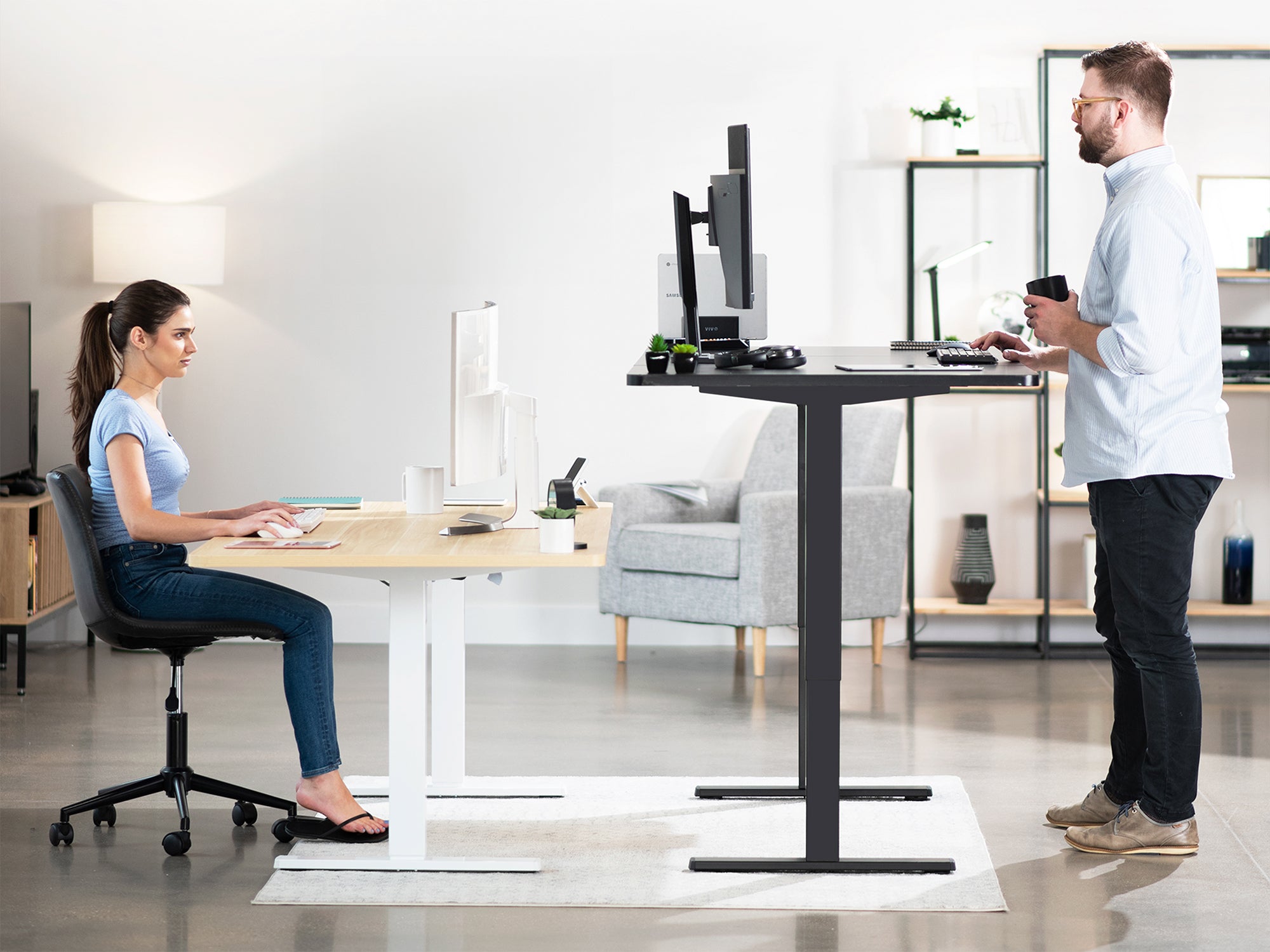
  1. Be sure to push yourself back in your chair as far as you can go. Your feet should still be flat on the floor, so adjust the height of the chair to accommodate that as well. If there is no way for your feet to touch the floor while sitting all the way back in your chair, you can get a footrest to help achieve a better sitting position. Utilize the armrests so that your shoulders are relaxed. 
  2. Pull your keyboard and mouse close to the edge of the desk. Overreaching can cause a strain on your arms and wrists, so you want to be sure to keep your work close to you. Adding a keyboard mount under your desk is ideal. This will ensure that you are not overreaching and you can fully relax while working. 
  3. Place your monitor directly in front of you. You want the top of the monitor to be at eye level--reducing neck and eye strain. You also want to be sure that the monitor is about an arm's length away from your face. 
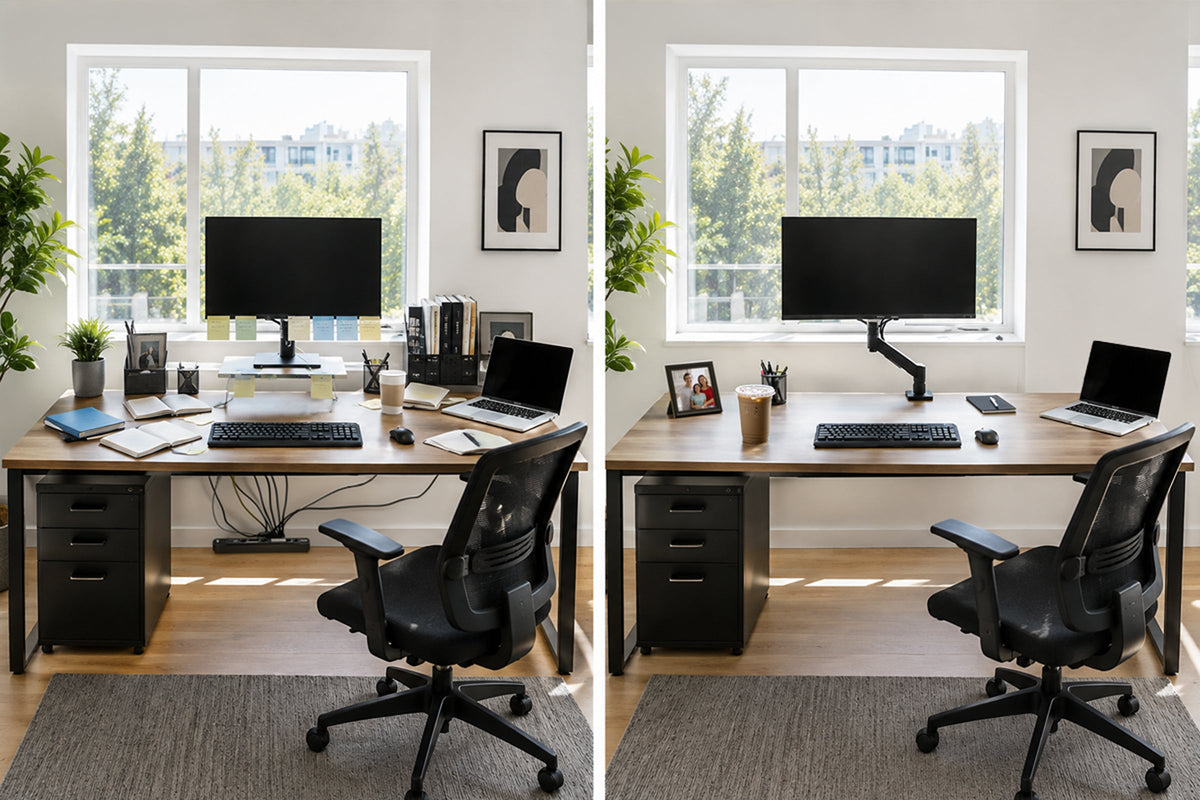
  4. Clear your desk of overall clutter. As time goes on, people tend to acquire more and more stuff that ends up laying on their desk. A good rule of thumb is to only keep things on your desk that are absolutely necessary. Clear our the coffee mugs, the useless papers, and unnecessary cords. This will ensure that you can maximize your desk space and have ample room to arrange your desk as you need. 
  5. After working for long periods of time, your body can get restless, and you might even be feeling some slight cramping in your arms, shoulders and/or wrists. You want to make sure that you take a break at least every hour. Get up and walk around; maybe stretch a little. This not only gives you a physical break, but it gives you a mental break as well. 

These, of course, are not the only steps you can take to create the perfect ergonomic workstation. You can purchase many products that will drastically improve the comfort and efficiency of your workspace, but you can also use these simple hacks until then. If you want to stay up-to-date with our blog and latest product offerings, be sure to follow us on our social media pages. 
Leave a comment

Please note, comments need to be approved before they are published.

This site is protected by hCaptcha and the hCaptcha Privacy Policy and Terms of Service apply.

Related articles

No Room? No Problem: How to Build a Workspace That Works in Any Apartment

No Room? No Problem: How to Build a Workspace That Works in Any Apartment

This blog post is a practical, personality-driven workspace guide written for apartment dwellers who are tired of working at kitchen tables, fighting for outlet space, and living in a setup that looks more like a college dorm than a functional home office. It walks readers through the real challenges of small-space working and introduces VIVO products as intentional, space-smart solutions rather than generic add-ons.

Read more

Red, White, and Built Right: Your 4th of July Guide to Smarter Workspaces and Better Setups

Red, White, and Built Right: Your 4th of July Guide to Smarter Workspaces and Better Setups

This blog post positions VIVO as the go-to workspace and home setup brand for the 4th of July season by tying the holiday's core themes of freedom, independence, and fresh starts into a narrative about upgrading your workspace and home entertainment setup. Rather than a generic "sales post," this piece tells a story: July is the perfect month to break free from setups that aren't working for you and build something better. The blog walks readers through a mix of ergonomic workspace wins (standing desks, monitor arms, cable management) and entertainment-forward upgrades (TV mounts, outdoor-ready setups) that make sense for the summer season. VIVO products are woven in naturally as the solutions to real pain points, not forced as ads. The tone stays conversational and practical throughout, speaking directly to remote workers, home office builders, and everyday homeowners who want to get more out of their space this summer.

Read more

Own Your Space: How a Privacy Panel Transforms Any Desk Into a Real Workspace

Own Your Space: How a Privacy Panel Transforms Any Desk Into a Real Workspace

This post makes the case that a well-defined workspace is not a luxury — it's a performance tool. Built around VIVO's privacy panel lineup, the blog speaks directly to the growing population of workers who have quietly lost ownership of their space: the WFH professional fighting distractions at home, the hybrid worker who never knows which desk they'll land at, and the open-office employee surrounded by constant noise and movement. Through a conversational, insight-driven lens, the post explores the psychology behind physical workspace boundaries, explains why environment affects output more than most people realize, and walks readers through how a privacy panel — whether clamp-on, freestanding, or pegboard-style — is one of the simplest upgrades that makes any desk feel intentional, focused, and genuinely yours. Product highlights are woven throughout in a way that feels editorial rather than promotional, with VIVO's panel lineup positioned as practical solutions to problems readers already know they have.

Read more