

Trying to be productive with limited space can be a headache. But whether you’re stuck working in a tiny apartment, crammed inside a cubicle, or only have a small office to work with, we’ve got you covered!

First Things First: Desks
Desks are one of the most important elements of an effective workspace, but they can take up a huge amount of space. Luckily, there are a plethora of options available for space-conscious workstations. For the purpose of this blog post, we’ll be focusing on sit-to-stand desk options.
- Stationary Workstations - There are many great desk choices that can fit into small spaces. And, when it comes to sit-to-stand workstations, you have another choice to make:
Do you want it to be manual or motorized?
For manual sit to stand desks, VIVO offers 30” and 36” options, depending on your space restrictions and needs. For our motorized desks, we offer a selection of 32” and 36” versions.
- Mobile Workstations - Purchasing a mobile workstation can be great if you aren’t able to dedicate a specific area in an apartment or dorm to your office space. You can move your work area around as needed, clearing up different areas for different uses.


Organization
Keeping your work space clear and organized is an important part of maintaining productivity. However, when your work area is small to begin with, not only does this task become increasingly difficult, but it also becomes exponentially more important. So here are a few quick tips on how to keep your small work space clean and organized.
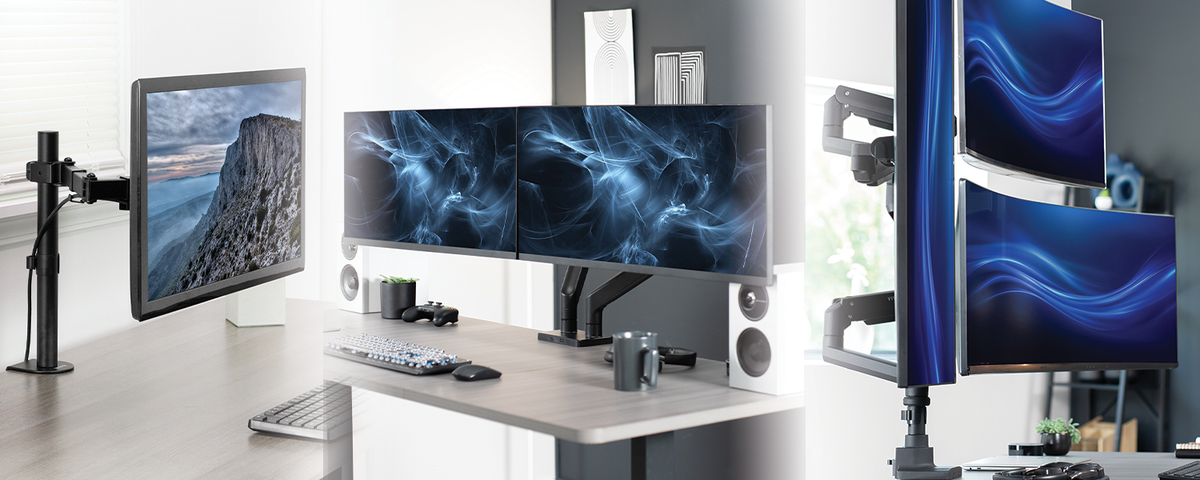
- Clear Up Your Desk Space with Monitor Stands - A simple and affordable way to clear up your desk space is to get a stand for your monitors. Clamp mounts and grommet mounts are particularly good at this and allow you to raise your screens to an optimal viewing level from a single point.
- Use Under Desk Mounting - Utilizing the space under your desk is another great way to squeeze out every bit of space in your tiny work area. There are many different desk accessories to mount under your desk. You can mount your PC tower, get a sliding keyboard tray, or even attach a convenient hook to hold your headphones or bag!
- Optimize Vertical Dimensions - A large part of clearing up space in a small work area is making full use of vertical dimensions. Have two monitors? Use a dual vertical monitor stand to clear up some space. Have a bunch of pens on your desk all the time? Keep them in a cup so they are contained and standing on their ends. Work on a MacBook at your desk? Use a laptop stand that can store it upright when not in use.
Vertical space is the most valuable when it comes to organization because most things take up a lot of horizontal space by default due to that pesky law of gravity. So any way you can think of to clear up desk or floor space by lifting off the ground or against a wall can help you feel comfortable and free even in the smallest of work areas.
Working in a small space isn’t the most sought after position, but it doesn’t have to be hardship. If you make sure to only use as much space as you actually need, and store everything as efficiently as possible, you can find comfort and productivity in even the smallest of places.


Share:
The Ultimate Guide to Lighting Your Desk
How Many Monitors Do You Actually Need for Your Job?